
In 2026 businesses are changing everyday and they need solutions that are time and cost effective and match the pace of the changing technology. This not only gives them a competitive advantage but also makes it easier for them to build different kinds of apps. But when it comes to actually building apps, just like any other business situation, the debate between PowerApps and Custom App development arises and it has never been a simple decision for businesses.
People keep thinking Is Power Apps better than custom development or vice versa, what is the future going to look like? Should we stay on Microsoft PowerApps development or opt for custom app development etc? There are multiple questions that bother business owners everyday. So, at 8Cloud Technologies our business consultants bring you the feasibility while keeping all the relevant factors in mind. As a business owner you must consider how each of these factors influences the major operations of your business including speed, growth and cost. Selecting the right app development model is a major decision that affects all these factors along with user satisfaction so the right decision is critical.
This blog simply explains the pros and cons, limitations and key differences between power apps and custom development, helping businesses decide which approach best suits their goals, budget, and long-term vision.
What Is PowerApps?
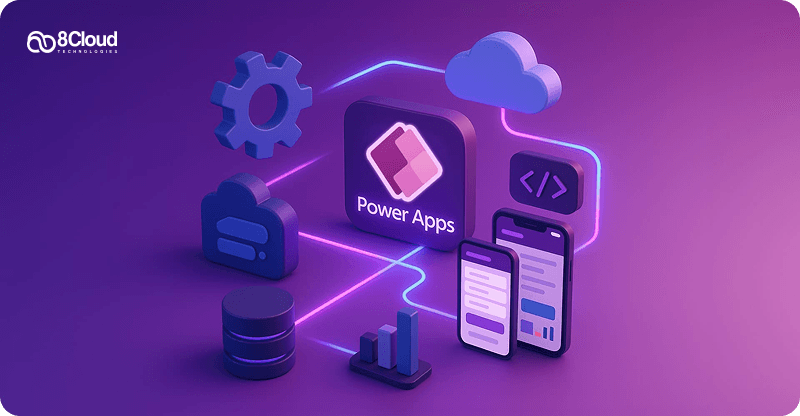
Microsoft PowerApps is a low code app development platform which allows businesses to create apps quickly without extensive expertise in coding. As an important part of the Microsoft Power Platform, it gives autonomy to IT teams and business users to design, customize, and deploy functional apps that automate workflows and improve productivity.
In the Power Apps vs. Custom App development debate, Power Apps takes the lead for its speed and accessibility, it allows businesses to build apps faster without relying heavily on professional developers. Power Apps advantages come with a list like integrating smoothly with Microsoft 365, Dynamics 365, and Azure services. But, Power Apps disadvantages also walk side by side.
PowerApps Key Features
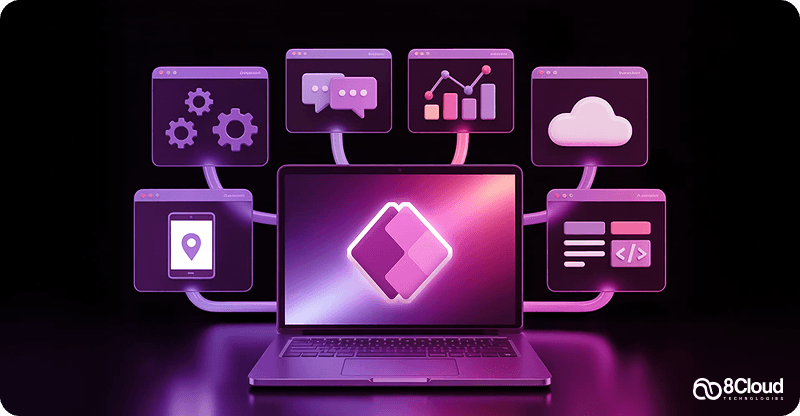
Some of the main features of PowerApps include the following:
Use Cases For PowerApps
1. Employee Onboarding Management: PowerApps is an amazing option to create a digital onboarding system for new employees. With its help, HR teams collect employee information, assign tasks, and share important documents through one app. New hirings can also complete forms, review company policies, and track their onboarding progress. Managers can also track tasks and approvals properly. This reduces paperwork and simplifies the onboarding experience. Overall, it helps businesses welcome new employees in a more organized and efficient way.
2. Leave and Attendance Management: Businesses can build a custom leave management app using PowerApps. Employees can submit leave requests easily from their mobile or desktop devices with just a few taps. Managers receive notifications and can approve or reject requests right away. The system automatically records leave balances and attendance data. This finishes manual paperwork and reduces administrative workload. It also makes sure that all leave records remain accurate and easy to access.
3. Inventory and Asset Tracking: PowerApps can help businesses manage their inventory and company assets more efficiently. Employees can update stock levels, record new items and track asset usage through a simple mobile app. The app can connect to databases or spreadsheets to keep records updated in real time. Managers can quickly view inventory status and identify shortages. This improves accuracy and reduces the risk of lost or misplaced assets. It also saves time compared to manual tracking methods.
4. Field Service Reporting: Field employees can use PowerApps to submit reports directly from their smartphones while working on-site. They can take photos, update task progress, and record customer information instantly. The data is automatically sent to the central system, allowing managers to track work in real time. This improves communication between office and field teams. It also helps organizations respond to issues more quickly. As a result, service delivery becomes faster and more reliable.
5. Approval and Workflow Automation: PowerApps can streamline approval processes for tasks such as purchase requests, expense approvals, or project updates. Employees can submit requests through a simple app interface. Managers receive instant alerts and can review and approve requests from anywhere. The app records all actions and keeps a clear history of approvals. This reduces delays and improves transparency in decision-making. It also helps organizations maintain more efficient and organized workflows.
What Is Custom App Development?
Custom app development makes customized software applications to meet specific organizational needs, rather than relying on temporary tools. It also makes sure that every feature, workflow, and integration directly supports a company’s operational goals and data plan.
In this space, custom app development pros and cons also walk side by side. But custom apps become faster and more cost-efficient when paired with Microsoft Power Apps. Businesses can design apps that go perfectly with their existing Microsoft ecosystem, from Dynamics 365 and SharePoint to Teams and Azure, without heavy coding or long delivery times. This path allows businesses to have modern operations, enhance user experience, and fully control app functionality and data security.
Custom App Development Key Features
1. Custom Solutions: Custom app development allows businesses to build applications specifically according to their specific needs. Unlike readymade software, these apps are built based on the organization’s workflow and requirements. This approach makes sure that every feature directly supports business operations. Companies can add or remove functionalities as their needs evolve. The flexibility helps businesses stay competitive and efficient. So, it provides a solution according to the company’s processes.
2. Growing Architecture: Custom applications are designed with scalability in mind, giving them reasons to grow along with the business. As the company expands, new features, users, or integrations can easily be added. This prevents the need to replace the system in the future. A scalable app supports long term growth and adaptability. Businesses can handle increased workloads without performance issues. This makes custom development a sustainable technology investment.
3. Smooth System Integration: One big advantage of custom apps is their ability to integrate with existing business systems. They can connect with databases, CRM platforms, payment systems, and other enterprise tools. This allows smooth data sharing across departments. Employees no longer need to switch between multiple systems to access information. Integration helps automate workflows and reduce manual work. As a result, businesses get better efficiency and accuracy.
4. Better Security: Custom applications can be built with new security features custom to the organization’s requirements. Developers can use encryption, role based access, and secure authentication systems. This further helps them protect sensitive data of the company and customers. Businesses also have better control over security updates and policies. Compared to generic software, custom apps offer a more controlled environment. This allows compliance with data protection standards.
5. Better User Experience: Custom apps are designed with the target users in mind, making them easier to use and navigate. The interface can be built to match the workflow of employees or customers. This reduces the learning curve and increases productivity. A well-designed user experience improves engagement and efficiency. Employees can complete tasks faster and with fewer errors. In the long run, this leads to better adoption and satisfaction.
Custom App Development Use Cases
1. Customer Relationship Management (CRM): Businesses can develop custom CRM applications to manage customer data, interactions, and sales activities. The app can store contact information, track communication history, and monitor leads. Sales teams can easily manage opportunities and follow up with clients. Managers get insights into customer behavior and sales performance. This helps businesses improve customer engagement and retention. So, it strengthens long term customer relationships.
2. E-Commerce and Online Sales Platforms: Custom apps allow businesses to build unique e-commerce platforms according to their brand. These apps can include product catalogs, shopping carts, secure payment systems, and order tracking. Companies can also integrate delivery services and inventory systems. This gives a smooth and personalized shopping experience for customers. Businesses can adapt features as market demands change. Therefore, they gain greater control over their online sales operations.
3. Internal Workflow Automation: Businesses use custom apps to automate internal workflows and processes. Tasks such as approvals, document sharing, and project tracking can be managed through a single platform. Employees can collaborate more effectively and monitor progress properly. Managers can track productivity and identify issues quickly. Automation also decreases manual work and improves operational efficiency. This leads to faster decision making and smooth business operations.
4. Data Collection and Reporting: Custom applications can be developed to collect and analyze data from different sources. Businesses can gather information from employees, customers, or field teams through digital forms and dashboards. The app can automatically generate reports and performance insights. This helps decision-makers understand trends and monitor key metrics. Automated reporting also reduces errors caused by manual data entry. Therefore, businesses can make more informed and strategic decisions.
5. Field Service and Mobile Workforce Management: Custom mobile apps can support employees who work outside the office environment. Field workers can receive job assignments, update task progress, and capture photos or reports on-site. The information is instantly shared with the central system. Managers can monitor operations and respond quickly to issues. This improves communication between field teams and the office. It also makes sure faster service delivery and better customer satisfaction is provided.
Comparison Between Low Code Vs Custom Development
This debate is still a major topic of concern as both the options remain important when it comes to taking a decision as per the business needs. So, let's compare low code vs custom app development keeping in mind PowerApps limitations vs custom apps and see which approach takes the lead.
Comparison Table For PowerApps Vs. Custom App Development
For your ease, below is the table that summarizes the differences between Power Apps and Custom Apps:
Which Approach Is Right For You?
Whether you choose Microsoft Power Apps or go towards custom apps development depends on your business priorities, finances, as well as the delivery time. But, it is always a wise decision to get in touch with the Microsoft consultants to choose what’s best for your business goals. PowerApps are seen as the more reasonable option when businesses need to take a quicker, cost-effective, and future-proof route in Microsoft power app development services, still it completely depends on your use case.
Conclusion
Deciding between the right Microsoft PowerApps development service and custom app development services comes down to what your business truly demands. Power Apps win when speed, budget, and simplicity are top priorities to achieve your goals. On the other hand, custom app development comes in handy for complex developments.
To make better decisions, you need to figure out your objectives and your vision. If you feel Microsoft power app or custom app can be a thing for your business, get in touch with 8Cloud Technologies where our Microsoft Power Automate consultants offer several services like Dynamics 365 Consulting Services, Microsoft Azure consulting and much more.